
Image hosting
Stream your rasters as WMTS
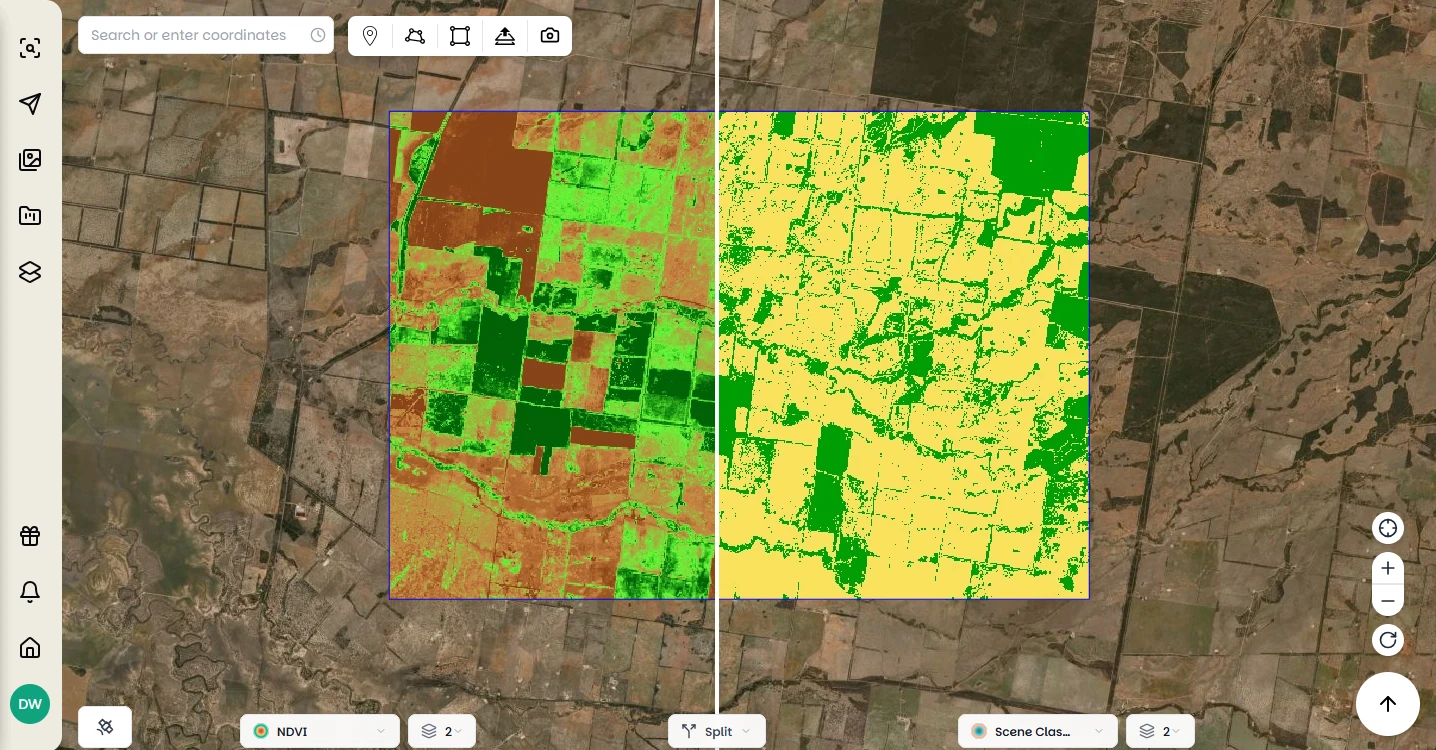
Upload a raster to Pera Portal and it gets a WMTS link and an XYZ link. Your team adds the layer in QGIS, ArcGIS Pro or a web map, next to the imagery you ordered from us.
Paste the link into the GIS you already use
Copy the link from the layer in the portal. There is no tile server for you to run.
- QGIS
- Layer > Add Layer > Add WMS/WMTS Layer. Create a new connection, paste the WMTS link, connect, and add the layer.
- ArcGIS Pro
- Insert > Connections > Server > New WMTS Server. Paste the WMTS link and the layer appears under Servers in the Catalog pane.
- Leaflet or MapLibre
- Use the XYZ link as the tile URL template, in L.tileLayer for Leaflet or a raster source for MapLibre.
Access, size and moving an archive
- Who can open a hosted layer?
- Anyone who has the link, because the link carries your API key. Share it the way you would share a password.
- Do we have to download the file to look at it?
- No. Tiles are fetched for the part of the map on screen, at the zoom you are at, so looking at one corner of a large mosaic only loads that corner.
- We have years of imagery on drives. Can it move into the portal?
- Talk to us about the volume and formats. Once it is in, it streams the same way as anything you order from us. Talk to us →
- What about our security questionnaire?
- Send it to us directly. It goes to the people who answer it. Trust and security →
Host your first raster
Upload it in the portal, or talk to us about moving an existing archive.